
The best Sublime Text alternatives in 2026 are Visual Studio Code, the most widely adopted free option with a built-in debugger and Git; Zed, a native editor that keeps a light feel while adding modern tooling; and Neovim, for keyboard-driven and SSH workflows. Each ranked alternative trades away some speed, simplicity or multi-cursor editing for features, price or platform fit.
Sublime Text users usually leave over the license cost, missing built-in debugging and Git, or a poor fit with their operating system. The harder part is choosing among dozens of editors when few sources compare them directly with Sublime Text using dated evidence.
As one user on r/learnprogramming described:
“Asking people for editor advice is going to mostly garner heavily biased answers. People like their favorite editor with religious fervor.
If it seems like it’s working well for you, stick with it. If not, try something else.” Posted by u/DirkSwizzler
Takeaway: Code editor recommendations from the community are shaped by personal loyalty, so a criteria-based comparison of Sublime Text alternatives is more useful than taking opinions from a forum thread.
Tested SaaS has no affiliate relationships with any company listed. Rankings are determined entirely by research data and objective evaluation criteria.
This guide ranks seven editors on six published criteria and treats Sublime Text as the unranked baseline. For each switch, it shows exactly what you gain and what you lose.
What Are the 3 Categories of Sublime Text Alternatives?
Sublime Text alternatives fall into three categories, and the right one depends mostly on why you are leaving Sublime Text. All-in-One editors build in IDE tools. Lightweight editors focus on fast edits on one operating system. Keyboard-Driven editors ask you to learn them in exchange for long-term control.
- All-in-One: All-in-One editors include a debugger, Git, a terminal and language-server support. This category contains Visual Studio Code (#1) and Zed (#2).
- Lightweight: Lightweight editors are native, open quickly, run on a single operating system and suit quick edits and text processing. This category contains Notepad++ (#4, Windows), BBEdit (#6, macOS) and TextPad (#7, Windows).
- Keyboard-Driven: Keyboard-Driven editors are modal or chord-based, you configure them yourself, and they can run in a terminal. This category contains Neovim (#3) and GNU Emacs (#5).
How Do the Top Sublime Text Alternatives Compare at a Glance?
Visual Studio Code ranks first among the seven Sublime Text alternatives because it pairs built-in IDE tools with the strongest verified ratings. Zed ranks a close second, one point behind, because it pairs the same tooling with a native architecture. Neovim, Notepad++, GNU Emacs, BBEdit and TextPad each fit narrower workflows, operating systems or budgets.
| Rank | Company | Category | Best For | One-Line Summary | Key Capabilities | Primary Strength | Key Limitation |
|---|---|---|---|---|---|---|---|
| 1 | Visual Studio Code | All-in-One | Free IDE features in one tool | Visual Studio Code is the most widely adopted and highest-rated free Sublime Text alternative, with a built-in debugger, terminal, Git and remote development. | Debugger, terminal, Git, IntelliSense, Remote SSH/containers/WSL | G2 4.7/5 from 2,757 reviews (G2, November 2026) | Electron-based; heavier and slower to start than Sublime Text |
| 2 | Zed | All-in-One | Native speed plus modern tooling | Zed is a native Rust editor that adds language servers, a debugger, Git and real-time collaboration to a Sublime-like light design. | LSP, Tree-sitter, debugger (2025), Git, multiplayer editing, AI agents | Only ranked editor with built-in real-time collaboration | Small extension ecosystem; Linux GPU issues reported |
| 3 | Neovim | Keyboard-Driven | SSH and keyboard-first work | Neovim is a free, terminal-native Sublime Text alternative that runs directly on remote servers over SSH. | Built-in LSP client, Tree-sitter, Lua config, terminal | Most admired environment at 74.4% (Stack Overflow, 2025) | Steep modal learning curve; no default multi-cursor |
| 4 | Notepad++ | Lightweight | Free quick edits on Windows | Notepad++ is the most widely used free lightweight Windows editor in this list, best for quick file and log edits. | Macros, column mode, regex, Plugin Admin, 80+ languages | Used by 27.4% of developers (Stack Overflow, 2025) | Windows only; no built-in debugger, Git or LSP |
| 5 | GNU Emacs | Keyboard-Driven | Deep customization | GNU Emacs is a free Sublime Text alternative that can be reshaped almost entirely through Emacs Lisp, with built-in Eglot, Org mode and TRAMP. | Emacs Lisp, Eglot, Org mode, TRAMP, Magit (package) | G2 4.5/5 from 84 reviews (G2, November 2026) | Steep learning curve; single-threaded UI can freeze |
| 6 | BBEdit | Lightweight | Mac bulk text processing | BBEdit is a native Mac Sublime Text alternative built for bulk text processing, with a permanent Free Mode. | Multi-file grep, Text Factories, AppleScript, AI Chat worksheets | G2 4.5/5 from 64 reviews (G2, November 2026) | macOS only; only partial multi-cursor editing |
| 7 | TextPad | Lightweight | Licensed Windows seats | TextPad is a low-cost, licensed Windows text editor for schools and companies that need plain-text and simple code editing. | Large-file editing, Perl-style regex, macros, 64 tool commands | Lowest paid entry price in this list | Windows only; no multi-caret, LSP or plugins |
Which Sublime Text Alternative Should I Choose for My Use Case?
The right Sublime Text alternative depends on what you want to fix. Choose Visual Studio Code for missing IDE features, Zed for speed with modern tooling, Neovim for remote work and Notepad++ for free Windows edits. If speed and multi-cursor editing matter most, staying with Sublime Text is reasonable.
| Your #1 Priority | Recommended Tool | Why | Acceptable Alternative |
|---|---|---|---|
| Free all-in-one IDE features | Visual Studio Code | Built-in debugger, terminal and Git at no cost | Zed |
| Sublime’s light feel plus language servers or a debugger | Zed | Native Rust editor with built-in LSP and a 2025 debugger | Neovim |
| Real-time collaboration | Zed | Only ranked editor with built-in multiplayer editing | None documented among ranked editors |
| SSH or remote-server work | Neovim | Runs in the terminal directly on remote machines | Visual Studio Code Remote Development; GNU Emacs TRAMP |
| Vim keybindings without a terminal | Zed | Built-in Vim mode inside a native GUI editor | Neovim |
| Free quick edits on Windows or an IT-locked PC | Notepad++ | Free, native and often IT-approved | TextPad (paid license) |
| Org mode, Magit or deep customization | GNU Emacs | Programmable through Emacs Lisp | Neovim |
| Mac bulk text processing | BBEdit | Text Factories, multi-file grep and a permanent Free Mode | Zed (for coding-heavy Mac work) |
| A licensed Windows editor for many seats | TextPad | Site licenses from 5 to 500 users | Notepad++ (free, GPL) |
| Speed and multi-cursor editing above all | Stay with Sublime Text | Native speed and multi-cursor editing you already know | Zed (supports Cmd/Ctrl-D multi-cursor) |
How Can I Test a Sublime Text Alternative in 15 Minutes?
You can test a Sublime Text alternative in about 15 minutes. Repeat the five tasks you do most often in Sublime Text, using your own files. As of November 2026 there are no reproducible public speed benchmarks, so your own files are the most reliable test available to you.
- Open the largest log or CSV file you regularly edit in the alternative, and note how long the editor takes to become responsive.
- Use Cmd/Ctrl+D in the alternative to add cursors to 20 matches of a word, then type a replacement.
- Run one project-wide regex search and replace in the alternative.
- Open a project in a language you use, and check whether go-to-definition works in the alternative.
- Check whether the alternative accepts your own AI API key if you use AI features.
Why Do Developers Leave Sublime Text?
Sublime Text’s most-mentioned G2 complaints are about missing IDE features, not speed. Sublime Text holds a 4.5/5 G2 rating from 1,783 reviews (G2, November 2026). Its top cons are Lack of Features, Plugin Issues, Lack of IDE Features, Debugging Issues and Cost, and each appears in 8 or fewer reviews, so few reviewers complain at all.
Sublime Text 4 (build 4215) is a text editor, not an IDE. Language servers and similar features come from Package Control packages, not from the core editor (Sublime HQ, 2026).
| Sublime Text Top G2 Pros (mentions) | Sublime Text Top G2 Cons (mentions) |
|---|---|
| Ease of Use (32) | Lack of Features (8) |
| Speed (22) | Plugin Issues (7) |
| Performance Speed (16) | Lack of IDE Features (7) |
| Language Support (14) | Debugging Issues (5) |
| Features (10) | Cost (5) |
What Sublime Text users want improved (G2, November 2026):
- Sublime Text users ask for easier access to debugging, a terminal and Git or version-control workflows.
- Sublime Text users ask for a simpler way to find, install and configure plugins.
- Sublime Text users ask for smarter autocomplete, including AI-assisted options.
What Sublime Text costs (Sublime HQ, 2026):
- A Sublime Text personal license costs $99 one-time and includes 3 years of updates.
- Sublime Text business licenses cost $65/seat/year for 1–10 seats, $60 for 11–25, $55 for 26–50 and $50 beyond 50 seats.
- Sublime Text can be evaluated for free, but continued use requires a license.
- Sublime Text’s full Git interface requires buying Sublime Merge separately.
Sublime Text was used by 10.5% of Stack Overflow Developer Survey respondents (Stack Overflow, 2025). Usage fell to 9.8% in the 2026 survey (Stack Overflow, 2026).
How Does Sublime Text Compare With Each Alternative?
Sublime Text beats most of its alternatives on speed, native architecture and multi-cursor editing. It falls behind on built-in debugging, Git and terminal access. The matrix below uses Sublime Text as the unranked baseline and compares each alternative on platforms, cost, built-in tools, architecture, multi-cursor editing, remote work and learning curve.
| Editor | Platforms | Base Price | AI Add-On Cost | Debugger / Git / Terminal | Language Servers | Native or Electron | Sublime-Style Multi-Cursor | Remote/SSH | Learning Curve vs Sublime |
|---|---|---|---|---|---|---|---|---|---|
| Sublime Text (Baseline; not ranked) | Win/Mac/Linux | $99 one-time (personal) | None documented | No / Sublime Merge sold separately / No | Plugin (LSP package) | Native | Yes | Not built in (r/neovim user report, 2021) | Baseline |
| Visual Studio Code | Win/Mac/Linux | Free | Copilot $10–$39/month with included AI credits | Yes / Yes / Yes | Built in | Electron | Yes (Ctrl/Cmd+D, Ctrl+Shift+L) | Yes (SSH, containers, WSL) | Low |
| Zed | Win/Mac/Linux | Free | Pro $10/month incl. $5 token credit; Business $30/seat/month | Yes (2025) / Yes / Yes | Built in | Native (Rust, GPU) | Yes (Cmd/Ctrl-D, split selection into lines) | Verify | Low |
| Neovim | Win/Mac/Linux (terminal) | Free | None | Via nvim-dap / Plugins / Yes | Built in | Native | Missing by default | Yes (runs over SSH) | High (modal) |
| Notepad++ | Windows only | Free | None | No / Plugin / No | Plugin | Native (C++) | Partial (search-to-cursors missing) | Verify | Very low |
| GNU Emacs | Win/Mac/Linux | Free | None | Via packages / Magit package / Yes | Built in (Eglot) | Native | Via package (multiple-cursors) | Yes (TRAMP) | High (chords) |
| BBEdit | macOS only | Free Mode; $59.99 or $4.99/month | Your own AI service | No / Basic / Via shell | Verify | Native | Partial (rectangular selection, Find & Select All) | FTPS; SSH verify | Moderate |
| TextPad | Windows only | £16.50 or $27 / €19 | None | No / No / Tool commands | None documented | Native | Missing (no multi-caret) | Verify | Low |
- The Cmd/Ctrl+D “add next match” shortcut that Sublime Text users rely on works the same way in Visual Studio Code and Zed (Visual Studio Code and Zed documentation, 2026).
- “Verify” marks cells our research does not document; check them hands-on before you rely on them.
- G2 lists no prices for these products, so all prices come from official vendor pages (verified November 2026) and may change.
What Changed for Sublime Text Alternatives in 2025–2026?
These are the biggest changes in 2025–2026:
- Zed 1.0 shipped on April 29, 2026, with a built-in debugger and stable Windows support.
- GitHub Copilot and Zed both moved to usage-based AI billing.
- A Notepad++ updater security flaw was fixed in version 8.8.9.
- BBEdit 16, GNU Emacs 31.1 and Neovim 0.12 were released.
Recommendations written before these changes may now be wrong.
- Zed 1.0: Zed 1.0 shipped on April 29, 2026 as a stable release for Windows, macOS and Linux (Linuxiac, 2026). Zed added its built-in debugger in 2025 and has been GPL-licensed since January 2024 (Zed, 2025).
- Zed AI pricing: Zed replaced prompt-based AI plans with token-based billing, and Zed Pro now costs $10/month with $5 of token credit (Zed, November 2026).
- Zed funding: Zed raised a $32M Series B led by Sequoia on August 20, 2025 (Zed and AFP, 2025).
- GitHub Copilot: GitHub Copilot, which is billed separately from Visual Studio Code, now meters chat and agent use with GitHub AI Credits (GitHub Docs, November 2026).
- Notepad++: Notepad++ disclosed that its updater traffic was hijacked starting in June 2025. CVE-2025-15556 affects versions before 8.8.9 (NVD, 2025).
- Stack Overflow 2026 survey: In the Stack Overflow 2026 survey, Zed’s usage rose to 11.4%, ahead of Sublime Text’s 9.8% (Stack Overflow, 2026).
- BBEdit: BBEdit 16 was released, followed by 16.0.1 and 16.1 (Bare Bones Software, 2026; TidBITS, 2026).
- GNU Emacs: GNU Emacs 31.1 was released on August 24, 2026 (GNU Project, 2026).
- Neovim: Neovim’s 0.12 line had reached v0.12.6 by October 9, 2026, after 0.11 shipped in March 2025 (Neovim, 2026).
1. Visual Studio Code: Best Overall Free Replacement for Sublime Text
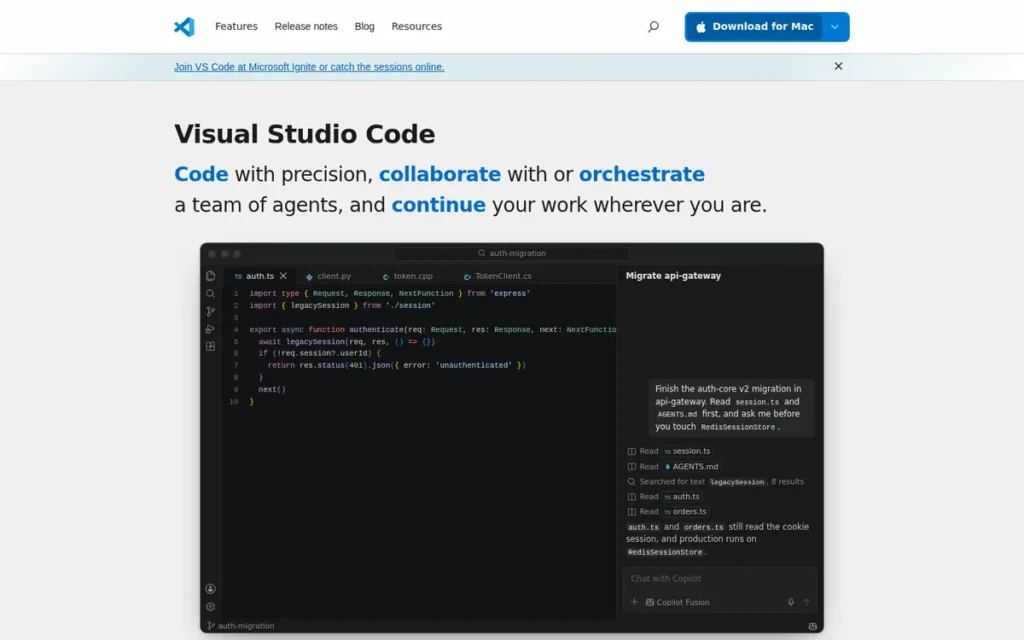
Category: Visual Studio Code is an All-in-One editor: a free editor with the debugger, Git, terminal and language-server support built in.
At a Glance
- Category: All-in-One
- Best For: Developers who need built-in debugging, Git, a terminal and a large extension ecosystem
- Price Range: Free; optional GitHub Copilot $10–$39/month with included AI credits (Free tier available)
- Primary Strength: Visual Studio Code bundles the debugger, terminal, Git and language tooling that Sublime Text lacks out of the box.
- Biggest Limitation: Visual Studio Code is built on Electron and is consistently reported to use more memory and start more slowly than Sublime Text.
- One-Line Summary: Visual Studio Code is the most widely adopted and highest-rated free Sublime Text alternative in 2026. It gives up some of Sublime’s speed in exchange for a built-in debugger, Git, a terminal and a marketplace of more than 150,000 listings.
- Last Verified: November 2026
Overview
Visual Studio Code is a free, cross-platform code editor from Microsoft with a debugger, integrated terminal, Git source control and IntelliSense built in. Visual Studio Code suits developers who leave Sublime Text because they need IDE features but don’t want to pay for a license.
Visual Studio Code was released in 2015 and runs on Windows, macOS and Linux (Microsoft, 2015). Visual Studio Code was the most used development environment in the Stack Overflow Developer Survey, at 75.9% of respondents (Stack Overflow, 2025).
Key Features
- Visual Studio Code has a built-in debugger with breakpoints, a call stack and stepping, so you don’t need a separate debugging package.
- Visual Studio Code has an integrated terminal and a Git source-control view inside the editor.
- Visual Studio Code offers Remote Development over SSH, containers and WSL for editing code on remote machines.
- Visual Studio Code’s marketplace listed 151,713 entries as of October 8, 2026, although the count may include non-extension listings (Software Lifecycle, 2026).
- Visual Studio Code supports optional AI help through GitHub Copilot, which is billed separately from the free editor.
Best For
Visual Studio Code is best for developers who want one free tool for editing, debugging, Git and remote work on Windows, macOS and Linux, and who will accept a heavier editor in return.
Pricing
Visual Studio Code is free for private and commercial use, and G2 lists no price (verified November 2026). GitHub Copilot is optional and billed separately. It meters chat and agent use with GitHub AI Credits, where 1 credit equals $0.01 (GitHub Docs, November 2026):
- GitHub Copilot Pro costs $10/month and includes 1,500 AI credits.
- GitHub Copilot Pro+ costs $39/month and includes 7,000 AI credits.
- GitHub Copilot Business costs $19/seat/month with 1,900 pooled credits per user.
- GitHub Copilot Enterprise costs $39/seat/month with 3,900 pooled credits per user.
Check GitHub’s plans page for the current GitHub Copilot Free tier terms. A Sublime Text personal license costs $99 one-time (Sublime HQ, 2026).
Strengths
- Visual Studio Code holds a 4.7/5 G2 rating from 2,757 reviews, with 98.9% at 4 or 5 stars (G2, November 2026). That is the highest rating and largest review base among the ranked alternatives, and it is above Sublime Text’s 4.5/5.
- Visual Studio Code was used by 75.9% of Stack Overflow respondents, compared with 10.5% for Sublime Text (Stack Overflow, 2025). In 2026 the figures were 70.9% and 9.8% (Stack Overflow, 2026).
- Visual Studio Code’s top G2 pros are Ease of Use (122 mentions), Extensions (95) and Git Integration (80). G2’s reviewer summary describes its performance as lightweight but notes slowdowns when many extensions are installed (G2, November 2026).
- Visual Studio Code works largely out of the box. One Reddit user contrasted it with setting up Sublime Text’s LSP package: “Install VSCode and most of the things are already working” (r/SublimeText user report, 2024).
This aligns with community sentiment on r/learnprogramming:
“VSCode (and VSCodium) is a great configurable editor with extreme potential.
To be entirely fair, I initially was also very sceptical, but then I more or less forced myself to use it (because I needed PlatformIO where it is one of the most convenient ways) and to customize it my way and now, it is one of my most frequently used editors where I constantly discover new features that make my life easier.” Posted by u/aqua_regis
Takeaway: Visual Studio Code wins over skeptical developers once they customize it, because its depth of features keeps paying off with long-term use.
Limitations
- Visual Studio Code gives up Sublime Text’s speed in exchange for completeness. Visual Studio Code’s G2 cons include Extension Issues (67), Slow Performance (41) and Performance Issues (34) (G2, November 2026).
- Visual Studio Code uses more memory and starts more slowly than Sublime Text in independent comparisons (Barakah Soft and Bundl, accessed 2026). One Reddit user says it “just chokes on large files” (r/SublimeText user report, 2024).
- Visual Studio Code has telemetry turned on by default. The VSCodium fork removes it, but forks cannot use Microsoft-only extensions such as Pylance, C# Dev Kit and Remote SSH (How-To Geek, accessed 2026).
- Visual Studio Code is placing more and more emphasis on GitHub Copilot, and some users push back on that direction (How-To Geek and Continuum, accessed 2026).
How Visual Studio Code Compares With Sublime Text
- What you gain: Visual Studio Code adds a built-in debugger, terminal, Git view and remote development, none of which Sublime Text has out of the box.
- What you lose: Visual Studio Code gives up Sublime Text’s native speed and lighter feel, especially with large files.
- Multi-cursor parity: Visual Studio Code supports Sublime-style multi-cursor editing. Ctrl+D (Cmd+D on macOS) adds the next match, and Ctrl+Shift+L selects all occurrences (Visual Studio Code documentation, 2026).
- Learning curve: Visual Studio Code is easy to learn for Sublime Text users, although G2 reviewers ask for simpler debugging setup (G2, November 2026).
Verdict
Visual Studio Code is the best Sublime Text alternative for developers who need built-in debugging, Git, a terminal and remote development at no cost.
Visual Studio Code ranks #1 with 38 of 45 points. It builds in the debugger, terminal and Git that Sublime Text’s G2 reviewers ask for most often. On the scoring criteria:
- Visual Studio Code leads on verified reputation (C3 = 5) and cross-platform availability (C5 = 5).
- Visual Studio Code ties Zed on coverage of Sublime Text’s gaps (C1 = 5).
- Visual Studio Code trails Zed on keeping Sublime Text’s speed (C2 = 2 vs 4).
Visual Studio Code leads Zed by 1 point, a margin that comes from verified ratings and adoption, not speed. If you chose Sublime Text mainly for its speed with large files, compare Visual Studio Code with Zed before you switch.
2. Zed: Best for Keeping Sublime Text’s Light Feel With Modern Tooling
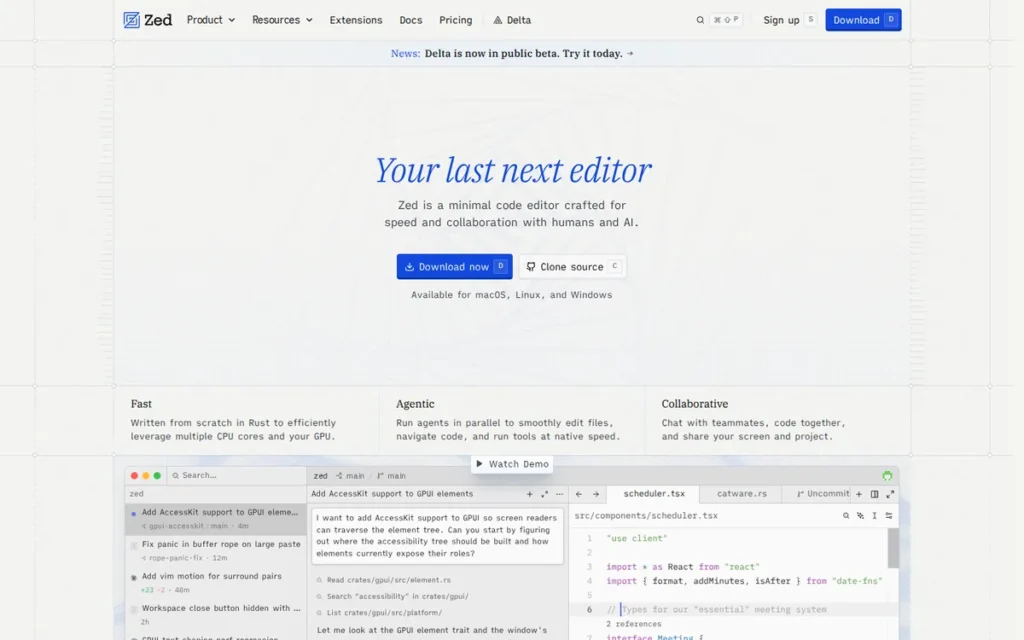
Category: Zed is an All-in-One editor: a free editor with the debugger, Git, terminal and language-server support built in.
At a Glance
- Category: All-in-One
- Best For: Sublime Text users who want a native editor with built-in language servers, a debugger and real-time collaboration
- Price Range: Free editor; Zed Pro $10/month incl. $5 AI token credit; Business $30/seat/month
- Primary Strength: Zed combines a native Rust, GPU-rendered editor with built-in language servers, Git, a debugger and real-time collaboration.
- Biggest Limitation: Zed has a much smaller extension ecosystem than Visual Studio Code and cannot use Visual Studio Code extensions.
- One-Line Summary: Zed is the 2026 Sublime Text alternative closest to Sublime’s native, lightweight design. It adds a built-in debugger, language servers, Git and real-time collaboration.
- Last Verified: November 2026
Overview
Zed is a free, open-source code editor written in Rust and rendered on the GPU, with built-in language servers, Git, a debugger and real-time collaboration. Zed is aimed at Sublime Text users who want a native editor that still includes modern development tools.
Zed was founded by former Atom and Tree-sitter developers (Zed, 2025). Zed 1.0 shipped on April 29, 2026 as a stable release for Windows, macOS and Linux (Linuxiac, 2026).
Key Features
- Zed has built-in Language Server Protocol support and Tree-sitter parsing, so language features work without a separate package.
- Zed added a built-in debugger in 2025, which addresses the “Debugging Issues” con in Sublime Text’s G2 reviews.
- Zed has real-time multiplayer editing built on CRDTs for pair programming and shared sessions.
- Zed has an AI Agent Panel and the open Agent Client Protocol. The protocol runs agents such as Gemini CLI and Claude Code and supports bring-your-own API keys (Zed, 2025).
- Zed includes a Vim mode, a terminal and built-in Git integration.
Best For
Zed is best for developers who chose Sublime Text for its speed but now need built-in language servers, debugging or live collaboration, and who can live with a smaller extension ecosystem.
Pricing
The Zed editor is free and open source under the GPL, and it has been since January 2024. Zed’s AI is billed separately by token usage (Zed, November 2026):
- Zed Personal is free and works with your own API keys or external agents.
- Zed Pro costs $10/month and includes $5 of monthly AI token credit and unlimited edit predictions. Extra usage is billed at the model’s API list price plus 10%.
- Zed Business costs $30/seat/month.
Bringing your own API keys (BYOK) avoids a Zed AI subscription. A Sublime Text personal license costs $99 one-time (Sublime HQ, 2026).
Strengths
- Zed’s usage rose from 7.3% in the Stack Overflow 2025 survey to 11.4% in 2026, which puts it ahead of Sublime Text’s 9.8% (Stack Overflow, 2025 and 2026).
- Zed had 94,660 GitHub stars as of November 10, 2026 (Dalao.ai, 2026). Zed raised a $32M Series B led by Sequoia on August 20, 2025, bringing its total funding above $42M (Zed and AFP, 2025).
- Zed is the only one of the seven ranked editors with built-in real-time collaboration, and it added a built-in debugger in 2025 (Zed, 2025).
- Zed opened “very large CSV files” faster than Sublime Text for one Reddit user. That is a single user report, not a benchmark (r/SublimeText user report, 2024).
Users on r/learnprogramming noted in late 2024:
“If you have limited RAM I would say that zed uses far less resources than vscode (I ditched vscode because it uses 5G out of my 8G of RAM).
It also feels way more snappy.
However zed lacks some basic features such as staging/committing/pushing, but it’s in their roadmap : https://zed.dev/docs/git” Posted by u/BPagoaga
Takeaway: Zed’s lighter memory use compared with Visual Studio Code is a concrete reason RAM-constrained developers switch, although early adopters ran into missing basics like Git staging and committing.
Limitations
- Zed gives up ecosystem maturity in exchange for speed and modern defaults. Zed’s extension library is much smaller than Visual Studio Code’s, and one user says “Sublime’s ecosystem maturity is hard to give up” (r/SublimeText user report, 2026).
- Zed users on Linux report GPU problems, including Vulkan initialization errors, blank windows and hybrid-GPU issues (TryOrBye, accessed 2026). Zed’s Windows support only became stable with Zed 1.0 in April 2026.
- Zed has no verified G2 rating as of November 2026. We found no reproducible public speed benchmarks, and Zed’s speed claims come from its own marketing.
- Zed-hosted AI requires a paid plan, so free users must bring their own API keys (Zed, November 2026).
How Zed Compares With Sublime Text
- What you gain: Zed adds built-in language servers, a debugger, Git, a terminal and live collaboration, none of which Sublime Text has out of the box.
- What you lose: Zed gives up the mature package ecosystem that Sublime Text users have built up over many years.
- Multi-cursor parity: Zed supports Sublime-style multi-cursor editing. Cmd-D on macOS or Ctrl-D on Windows and Linux adds the next match, and the “editor: split selection into lines” command splits a selection (Zed documentation, 2026).
- Learning curve: Zed is easy to learn for Sublime Text users and also offers a Vim mode for keyboard-driven users.
Verdict
Zed is the best Sublime Text alternative for developers who want a native, fast editor with built-in language servers, a debugger and real-time collaboration.
Zed ranks #2 with 37 of 45 points. Zed matches Visual Studio Code on coverage of Sublime Text’s gaps (C1 = 5) and beats it on keeping Sublime Text’s speed (C2 = 4 vs 2). That speed score rests on architecture and user reports, not benchmarks.
Zed trails Visual Studio Code by 1 point because it has no verified G2 rating and lower survey usage in 2025 (C3 = 3 vs 5). Linux users should test Zed on their own GPU setup first.
3. Neovim: Best for Keyboard-Driven and Remote SSH Workflows
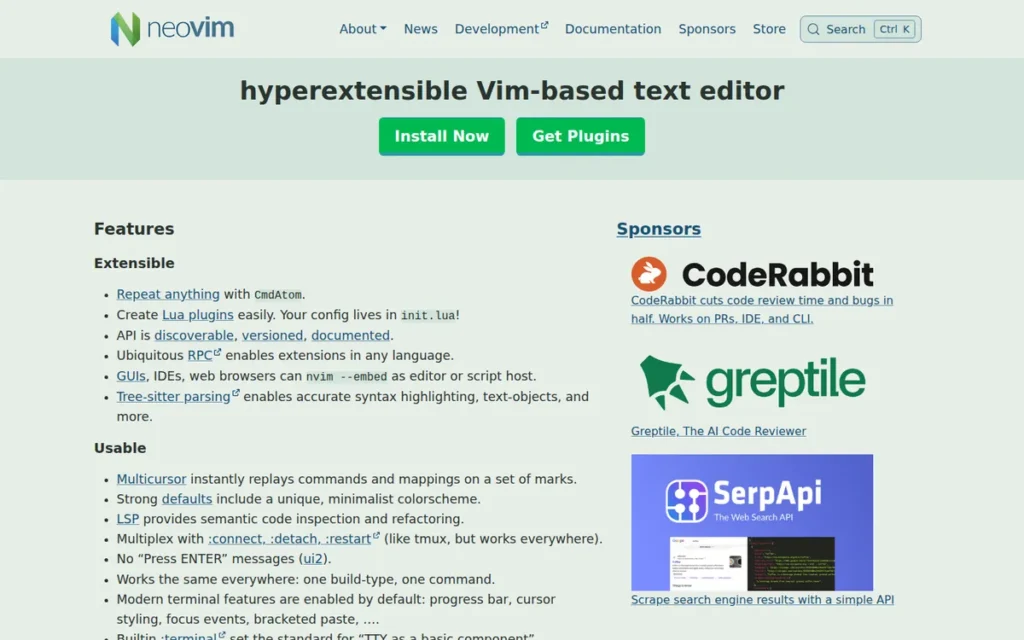
Category: Neovim is a Keyboard-Driven editor: a modal editor that you configure yourself and that runs in the terminal.
At a Glance
- Category: Keyboard-Driven
- Best For: Developers who work on remote servers over SSH or want a fully customized, keyboard-first setup
- Price Range: Free (Apache 2.0, funded by donations)
- Primary Strength: Neovim runs in any terminal and has a built-in language-server client, which suits remote and SSH work.
- Biggest Limitation: Neovim requires learning modal editing and, unlike Sublime Text, has no multi-cursor editing by default.
- One-Line Summary: Neovim is a free, terminal-native Sublime Text alternative that runs directly on remote servers over SSH and was the most admired environment in the Stack Overflow 2025 survey. It has a steep learning curve.
- Last Verified: November 2026
Overview
Neovim is a free, open-source, keyboard-first modal editor forked from Vim, with a built-in language-server client, Tree-sitter, Lua configuration and a terminal emulator. Neovim suits developers who work over SSH or want a fully customized, keyboard-driven setup.
Neovim was forked from Vim in 2014 by Thiago de Arruda after Vim rejected a multithreading patch (Wikipedia, accessed 2026). Neovim runs inside a terminal on Windows, macOS and Linux, and its current stable line is 0.12.
Key Features
- Neovim has a built-in Language Server Protocol client and Tree-sitter parsing for IDE-style language support.
- Neovim uses Lua for configuration and plugins, which are managed with tools such as lazy.nvim.
- Neovim has a built-in terminal emulator, so you can run commands without leaving the editor.
- Neovim runs in the terminal, so you can use it directly on remote servers over SSH.
- Neovim has ready-made distributions, including LazyVim, AstroNvim, NvChad and kickstart.nvim, that give you a working setup from the start.
Best For
Neovim is best for developers who spend much of their time on remote servers or in the terminal and who will learn modal editing in exchange for long-term speed and control.
Pricing
Neovim is free under the Apache 2.0 license, with some legacy code under the Vim license, and it is funded by OpenCollective donations (verified November 2026). Neovim has no paid tiers and no separately billed AI. A Sublime Text personal license costs $99 one-time (Sublime HQ, 2026).
Strengths
- Neovim was the most admired development environment in the Stack Overflow Developer Survey at 74.4% (Stack Overflow, 2025), after also leading in 2024 at 83% (Stack Overflow, 2024).
- Neovim reached 14.7% usage and 69.9% admiration in the Stack Overflow 2026 survey, the highest admired score among the editors in this list (Stack Overflow, 2026).
- Neovim had 103,840 GitHub stars as of November 17, 2026, and its 0.12 line had reached v0.12.6 by October 9, 2026 (Awesome Repos, 2026).
- Neovim is the editor Reddit users suggest when remote server work is the reason for leaving Sublime Text. One switcher wrote that “sublime doesn’t support this in anyway” (r/neovim user report, 2021).
Limitations
- Neovim gives up approachability in exchange for control. Modal editing has a steep learning curve, and one user notes that “you have to learn unique keybindings to do even the most basic things” (r/SublimeText user report, 2024).
- Neovim lacks Sublime-style multi-cursor editing by default. As one user put it, “search and replace is the way (unless you are into macros)” (r/neovim user report, 2021).
- Neovim users warn about “config bankruptcy,” plugins that break after updates and a complex debugger setup through nvim-dap (Open Source Alternatives, accessed 2026).
- Neovim has no verified G2 rating as of November 2026, and Neovim has little GUI polish compared with Sublime Text.
Users on r/learnprogramming noted:
“I love vim, it’s my happy place and I’ve been using it for over a decade. It’s also got a hell of a learning curve and requires you to really know your tooling inside and out to take full advantage. You can start with it, but tbh that takes a level of bang your head against a wall stubbornness.” Posted by u/thirdegree
Takeaway: Even long-time Vim-family fans admit that Neovim pays off only after a punishing learning curve, so it suits committed switchers rather than anyone who wants a quick swap for Sublime Text.
How Neovim Compares With Sublime Text
- What you gain: Neovim adds a built-in language-server client, a terminal and SSH-friendly editing, none of which Sublime Text provides out of the box.
- What you lose: Neovim gives up Sublime Text’s point-and-click interface and its familiar default shortcuts.
- Multi-cursor parity: Neovim has no default multi-cursor editing, so Neovim users combine commands, macros or search and replace instead.
- Learning curve: Neovim is hard to learn even with distributions such as LazyVim. Readers who want Vim motions without leaving a GUI can use the Vim mode in Zed instead.
Verdict
Neovim is the best Sublime Text alternative for developers who work over SSH or want a keyboard-only workflow and will put in the time to learn it.
Neovim ranks #3 with 33 of 45 points. Neovim scores 4 on reputation without a G2 rating because of its 14.0% survey usage and highest-in-survey admiration (Stack Overflow, 2025).
Neovim’s modal learning curve and lack of default multi-cursor editing (C6 = 1) make it a poor fit if you want something that works like Sublime Text from day one.
4. Notepad++: Best Free Lightweight Editor for Windows
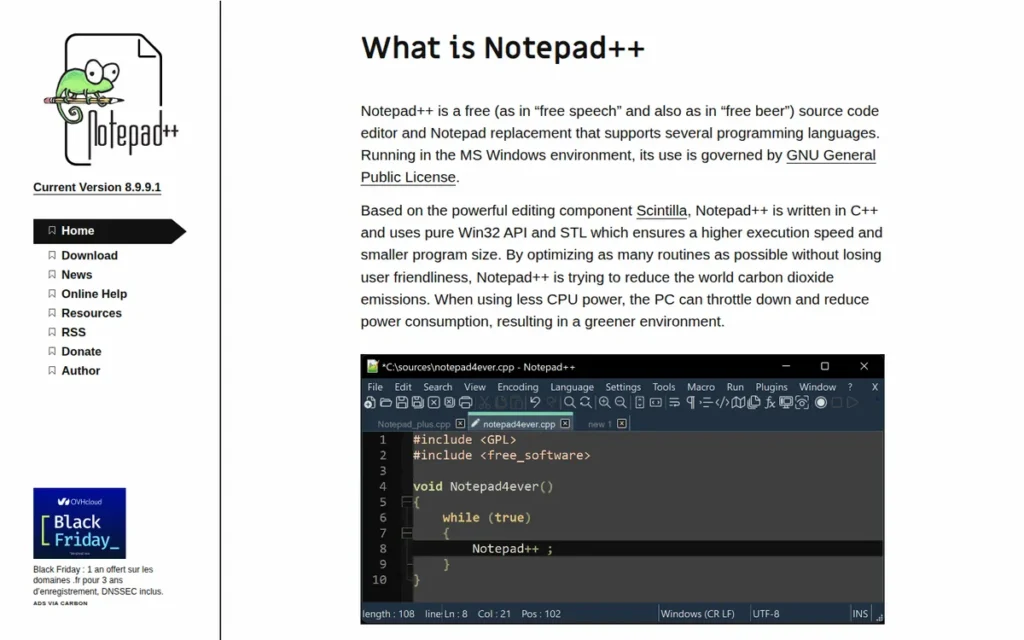
Category: Notepad++ is a Lightweight editor: a native, fast-opening editor for one operating system, built for quick edits and text processing.
At a Glance
- Category: Lightweight
- Best For: Windows users who want free, fast edits of files, scripts and logs, including on IT-managed machines
- Price Range: Free (GPL; donations voluntary)
- Primary Strength: Notepad++ is a free, native Windows editor with macros, column mode and regex search that opens quickly for everyday edits.
- Biggest Limitation: Notepad++ runs only on Windows and has no built-in debugger, Git or language-server support.
- One-Line Summary: Notepad++ is the most widely used free lightweight Windows editor in this list in 2026. It is best for quick edits but lacks built-in IDE features and builds for other operating systems.
- Last Verified: November 2026
Overview
Notepad++ is a free, open-source Windows text and code editor built in C++ on Scintilla, with syntax highlighting for more than 80 languages, macros, column mode and regex search. Notepad++ suits Windows users who want quick, lightweight edits without paying for a license.
Notepad++ was created by Don Ho in 2003, and the Notepad++ release page listed version 8.9.9.1 as current in November 2026 (Notepad++, 2026). Notepad++ is not an IDE out of the box, because language servers, completion and code navigation need plugins.
Key Features
- Notepad++ has syntax highlighting and code folding for more than 80 languages.
- Notepad++ includes macros, column mode, multi-editing and regex find and replace.
- Notepad++ has Mark operations such as “Copy Bookmarked Lines” and “Delete Unbookmarked Lines” for cleaning up text in bulk.
- Notepad++ includes Plugin Admin for installing extensions, including the plugins needed for LSP and code navigation.
- Notepad++ version 8.8.9 added certificate and signature checks to the updater.
Best For
Notepad++ is best for Windows users, including those on locked-down work or school machines, who mainly edit individual files, scripts and logs and don’t need debugging or Git built in.
Pricing
Notepad++ is free and open source under the GPL, and donations are voluntary (verified November 2026). Notepad++ has no paid tiers and no separately billed AI, so it removes Sublime Text’s $99 personal license cost completely (Sublime HQ, 2026).
Strengths
- Notepad++ was used by 27.4% of Stack Overflow respondents, more than twice Sublime Text’s 10.5% (Stack Overflow, 2025), and by 27.8% in 2026 (Stack Overflow, 2026).
- Notepad++ was downloaded more than 28 million times while it was hosted on SourceForge, and it won SourceForge Community Choice Awards in 2008 and 2009 (SourceForge, accessed 2026).
- Notepad++’s Mark operations are “SUPER UNDERRATED,” according to one user who says no macOS editor matches them (r/macapps user report, accessed 2026).
- Notepad++ is often the editor IT has approved on work machines, according to several Reddit users (r/SublimeText user reports, 2026).
This aligns with community sentiment on r/learnprogramming:
“I scrolled for this. I have seen many excellent programmers begin with Notepad++, and keep it for old times sake when they have mastered Vim or Emacs, or turned to VS, Jetbrains or VsCode.” Posted by u/FunManufacturer723
Takeaway: Notepad++ often stays installed as a lightweight companion editor even after developers move to Vim, Emacs or a full IDE as their main tool.
Limitations
- Notepad++ gives up breadth in exchange for simplicity. Notepad++ runs only on Windows, with Wine as a workaround only, and language servers, completion and code navigation all need plugins.
- Notepad++’s WinGUp updater traffic was hijacked starting in June 2025 through a compromise at its hosting provider. CVE-2025-15556 affects versions before 8.8.9 (NVD, 2025).
- Notepad++ has a weaker multi-cursor search workflow than Sublime Text. One user says turning search results into cursors is “Not possible (or only with slow workarounds)” (r/SublimeText user report, 2026).
- Notepad++ users also report high-DPI display problems and an “ancient looking UI” (r/SublimeText user report, 2026).
- Notepad++ handles projects and folders less fully than Sublime Text (Webiano, accessed 2026). Notepad++ has no verified G2 rating as of November 2026.
How Notepad++ Compares With Sublime Text
- What you gain: Notepad++ removes Sublime Text’s license cost and adds Mark operations for line-based cleanup.
- What you lose: Notepad++ gives up Sublime Text’s cross-platform builds, its search-to-cursors workflow and, according to users, some large-file performance.
- Multi-cursor parity: Notepad++ has multi-editing and column mode, but users report that Sublime-style search-to-cursors is missing.
- Learning curve: Notepad++ is very easy to learn and is one of the most approachable editors on this list.
Verdict
Notepad++ is the best free Sublime Text alternative for Windows users who mainly need fast, lightweight file edits.
Notepad++ ranks #4 with 27 of 45 points. Notepad++ ties GNU Emacs at 27 and wins the primary-criteria tiebreaker (9 vs 8), mainly because it scores higher on keeping Sublime Text’s speed (C2 = 4 vs 2).
Notepad++ runs only on Windows and lacks built-in IDE features. Because of the 2025 updater incident, install version 8.8.9 or later.
5. GNU Emacs: Best for Deep Customization, Org Mode and Magit
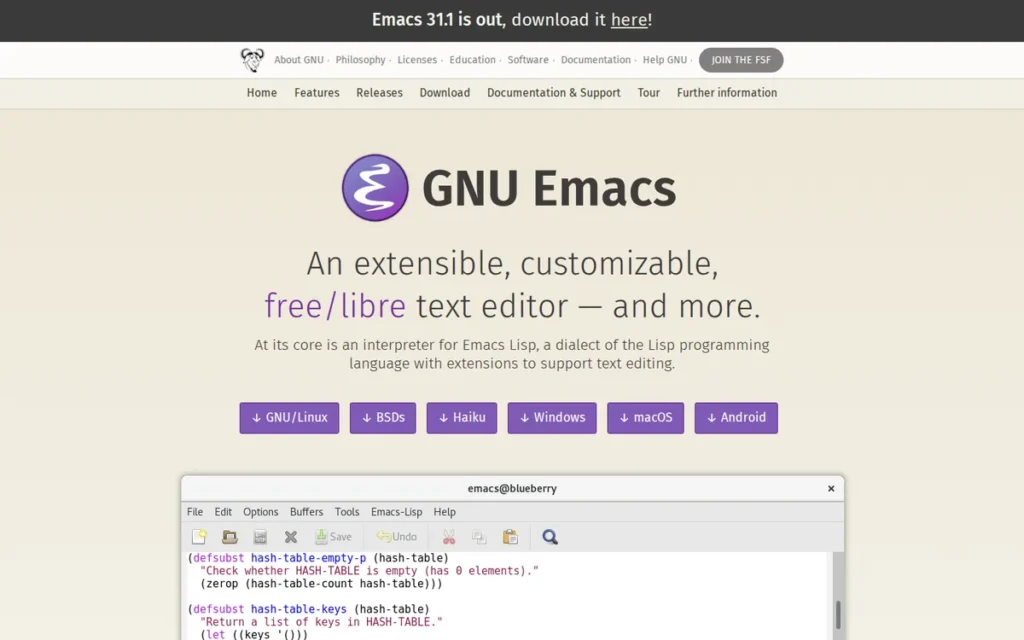
Category: GNU Emacs is a Keyboard-Driven editor: a chord-based editor that you configure yourself and that can run in the terminal.
At a Glance
- Category: Keyboard-Driven
- Best For: Power users who want to program their editor and use Org mode, Magit and TRAMP
- Price Range: Free (GPL; no paid edition)
- Primary Strength: GNU Emacs can be reshaped almost entirely through Emacs Lisp and has built-in Eglot language-server support.
- Biggest Limitation: GNU Emacs has a steep learning curve and a single-threaded UI that can freeze or slow down on very long lines.
- One-Line Summary: GNU Emacs is a free Sublime Text alternative that can be reshaped almost entirely through Emacs Lisp and is rated 4.5/5 on G2 in 2026, but it needs more learning and setup than any other ranked editor.
- Last Verified: November 2026
Overview
GNU Emacs is a free, GPL-licensed programmable editor built on Emacs Lisp, with a built-in Eglot language-server client since Emacs 29, Org mode and TRAMP remote editing. GNU Emacs suits power users who want to build the editor around their workflow for the long term.
GNU Emacs was first released publicly in 1985 and was started by Richard Stallman (Wikipedia, accessed 2026). GNU Emacs is maintained by the GNU Project and the Free Software Foundation, and it runs on Windows, macOS and Linux.
Key Features
- GNU Emacs has included Eglot, a built-in language-server client, since Emacs 29, along with Tree-sitter modes.
- GNU Emacs includes Org mode for structured notes, task tracking and documents.
- GNU Emacs provides TRAMP for editing files on remote machines over SSH from a local instance.
- GNU Emacs installs packages through package.el from GNU ELPA and MELPA, including Magit, the widely praised Git interface.
- GNU Emacs supports community distributions such as Doom Emacs and Spacemacs that make initial setup easier.
Best For
GNU Emacs is best for experienced users who want one programmable environment for code, notes and Git, and who treat a long learning period as an investment.
Pricing
GNU Emacs is free under the GPL, with no paid edition (verified November 2026). GNU Emacs has no separately billed AI. A Sublime Text personal license costs $99 one-time, so switching saves that license fee (Sublime HQ, 2026).
Strengths
- GNU Emacs holds a 4.5/5 G2 rating from 84 reviews, with 94.0% at 4 or 5 stars, the same rating as Sublime Text (G2, November 2026).
- GNU Emacs ships regularly: version 30.1 came out in February 2025, 30.2 in August 2025 and 31.1 on August 24, 2026 (GNU Project, 2026).
- GNU Emacs reviewers on G2 praise its extensibility and customizability, although each pro listed on G2 has only one mention (G2, November 2026). TrustRadius reviewers highlight Emacs Lisp customization and SSH editing (TrustRadius, accessed 2026).
- GNU Emacs has been maintained since 1985, and one user is confident that it “will be around in 30 years” (r/macapps user report, accessed 2026).
Limitations
- GNU Emacs gives up ease of use and speed in exchange for near-total customization. G2 and TrustRadius comparisons favor Sublime Text on ease of use and speed (G2, 2026; TrustRadius, accessed 2026).
- GNU Emacs users report “Emacs pinky” strain from Control-key chords, plus slow startup with many packages unless Emacs runs as a daemon (TryOrBye, accessed 2026).
- GNU Emacs has a single-threaded UI that can freeze, slows down on very long lines and runs more slowly on Windows (TryOrBye, accessed 2026; Henrik Lissner gist). So-long mode is a workaround for the long-line slowdown.
- GNU Emacs has a dated default interface, and community support can be uneven (G2, November 2026). One developer used Spacemacs for months and still went back to Sublime Text (Thume.ca, 2017).
How GNU Emacs Compares With Sublime Text
- What you gain: GNU Emacs adds built-in language-server support, Org mode, TRAMP remote editing and access to Magit for Git.
- What you lose: GNU Emacs gives up Sublime Text’s fast startup, modern default interface and simplicity on first use.
- Multi-cursor parity: GNU Emacs supports multiple cursors through the separately installed multiple-cursors package, not as a built-in feature (Atomic Object, accessed 2026).
- Learning curve: GNU Emacs is hard to learn because of chord-based shortcuts, although Doom Emacs and Spacemacs make setup easier.
Verdict
GNU Emacs is the best Sublime Text alternative for users who want to program their own editing environment around Org mode, Magit and remote editing.
GNU Emacs ranks #5 with 27 of 45 points. GNU Emacs lost the tiebreak to Notepad++ by one primary point (8 vs 9), and it scores lowest on keeping Sublime Text’s speed (C2 = 2) and on learning curve (C6 = 1).
GNU Emacs is free, cross-platform and well rated on G2. If you are leaving Sublime Text for something easier, look elsewhere.
6. BBEdit: Best Native Mac Editor for Bulk Text Processing
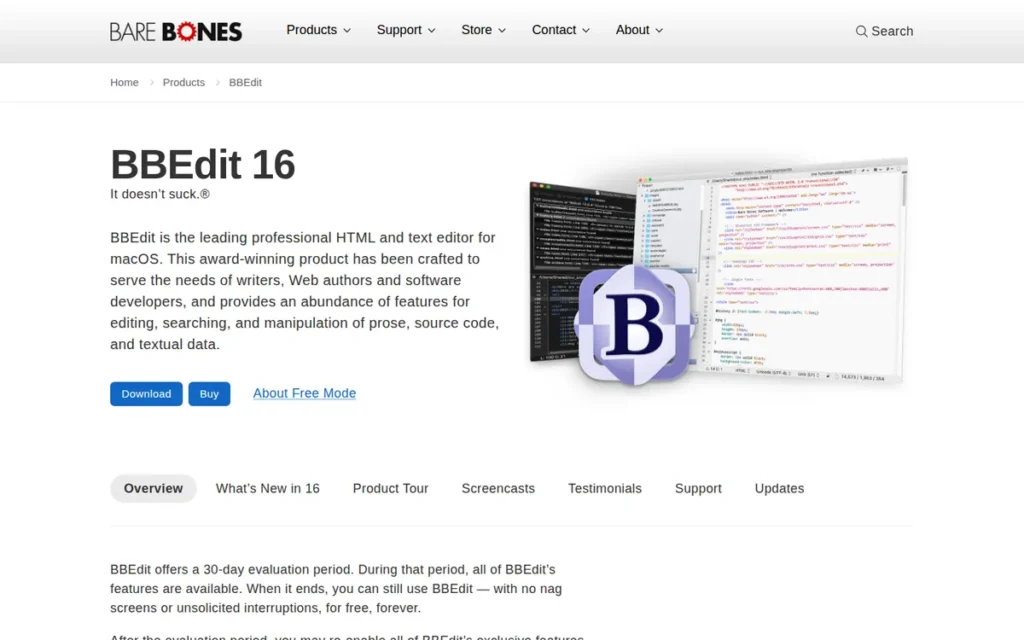
Category: BBEdit is a Lightweight editor: a native, fast-opening editor for one operating system, built for quick edits and text processing.
At a Glance
- Category: Lightweight
- Best For: Mac users who search, clean and transform large amounts of text more than they debug code
- Price Range: Free Mode; $59.99 one-time; or $4.99/month or $49.99/year on the Mac App Store
- Primary Strength: BBEdit provides multi-file grep, Text Factories, AppleScript and shell filters for bulk text processing on the Mac.
- Biggest Limitation: BBEdit runs only on macOS, offers only partial multi-cursor editing (rectangular selection and Find & Select All) and lacks debugger integration.
- One-Line Summary: BBEdit is a native Mac Sublime Text alternative built for bulk text processing in 2026, with Text Factories, multi-file grep and a permanent Free Mode. It runs only on macOS.
- Last Verified: November 2026
Overview
BBEdit is a native macOS text and code editor from Bare Bones Software built for bulk text processing, with multi-file grep, Text Factories and AppleScript. BBEdit suits Mac users who spend more time cleaning, searching or transforming text than debugging code.
BBEdit dates back to the early Macintosh era, and Bare Bones Software is based in North Chelmsford, Massachusetts. BBEdit’s current version is BBEdit 16, followed by 16.0.1 and 16.1 (Bare Bones Software, 2026).
Key Features
- BBEdit supports grep and regex search and replace across many files at once.
- BBEdit includes Text Factories, which save chains of text transformations so you can reuse them.
- BBEdit works with AppleScript and Unix shell filters for scripted text processing.
- BBEdit added AI Chat worksheets in version 15.1, and they connect to Claude, Ollama and OpenAI-compatible services.
- BBEdit has basic Git support and FTPS: version 15.5 improved the Git support and added FTPS.
Best For
BBEdit is best for Mac-based writers, web authors and developers whose daily work is searching, cleaning and transforming text across many files rather than running a full development workflow.
Pricing
BBEdit 16 direct prices before tax (Bare Bones Software, verified November 2026):
- A BBEdit individual license costs $59.99.
- A BBEdit upgrade costs $29.99 from 15.x or $39.99 from 14.x or earlier.
- A BBEdit Mac App Store subscription costs $4.99/month or $49.99/year.
BBEdit keeps working in a permanent Free Mode with a basic feature set after its 30-day trial. Some BBEdit 15 purchases made on or after November 1, 2025 qualify for a free upgrade to BBEdit 16. A Sublime Text personal license costs $99 (Sublime HQ, 2026).
Strengths
- BBEdit holds a 4.5/5 G2 rating from 64 reviews, with 95.3% at 4 or 5 stars, the same rating as Sublime Text (G2, November 2026).
- BBEdit is praised in G2’s reviewer summary for powerful text manipulation and robust search and replace. BBEdit’s G2 listing has no counted pros or cons (G2, November 2026).
- BBEdit has a permanent Free Mode that replaced TextWrangler, so Mac users can keep using it without paying (Bare Bones Software, 2026).
- BBEdit “opens MASSIVE files with ease,” according to one Reddit user. That is a user report, not a benchmark (r/macapps user report, accessed 2026).
Limitations
- BBEdit gives up cross-platform reach and IDE depth in exchange for Mac-native text power. BBEdit 16 runs only on macOS, and it offers rectangular selection and Find & Select All but no independent multiple cursors like Sublime Text’s (Bare Bones Software and TidBITS, 2026).
- BBEdit lacks automated refactoring and debugger integration, according to an older TrustRadius review (TrustRadius, 2019).
- BBEdit users on G2 mention a small default font and mixed follow-up on bug reports. They ask for clearer feature discovery, better code completion, split views and a central plugin manager (G2, November 2026).
- BBEdit faces strong free competition. CotEditor, a free Mac editor, got the most upvoted answer (54 upvotes) in an r/macapps thread on the best plain text editors for Mac (r/macapps, accessed 2026).
How BBEdit Compares With Sublime Text
- What you gain: BBEdit adds Text Factories, AppleScript integration and a permanent Free Mode, none of which Sublime Text offers.
- What you lose: BBEdit gives up Sublime Text’s Windows and Linux builds and its independent multiple cursors.
- Multi-cursor parity: BBEdit offers partial support through rectangular selection and Find & Select All, but no independent cursors.
- Learning curve: BBEdit is moderately hard to learn, and G2 users ask for clearer feature discovery.
Verdict
BBEdit is the best Sublime Text alternative for Mac users whose main work is bulk text processing and searching across many files.
BBEdit ranks #6 with 25 of 45 points. The deciding scores are BBEdit’s macOS-only availability (C5 = 1) and its lack of debugger integration (C1 = 2), despite strong text tools and a Free Mode.
If you need a full coding workflow on a Mac, compare BBEdit with Zed or Visual Studio Code.
7. TextPad: Best Low-Cost Licensed Windows Editor for Schools and Companies
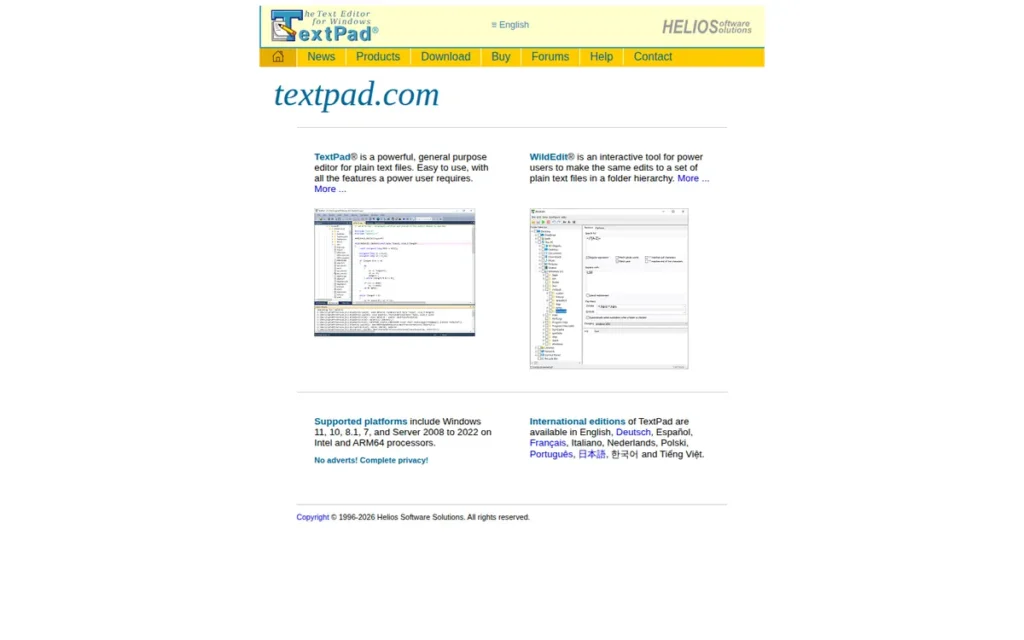
Category: TextPad is a Lightweight editor: a native, fast-opening editor for one operating system, built for quick edits and text processing.
At a Glance
- Category: Lightweight
- Best For: Schools and companies that need a low-cost, properly licensed Windows editor
- Price Range: £16.50 (excl. VAT) or $27 / €19 for a single user; site licenses £73–£2,250
- Primary Strength: TextPad edits large files up to the limits of virtual memory and searches across folder trees with Perl-style regex.
- Biggest Limitation: TextPad has no multi-caret editing, no documented language-server support and no plugin system, and it runs only on Windows.
- One-Line Summary: TextPad is a low-cost, licensed Windows text editor rated 4.4/5 on G2 in 2026. It suits institutional plain-text and code editing but lacks the modern coding features Sublime Text users expect.
- Last Verified: November 2026
Overview
TextPad is a paid, native Windows text editor from Helios Software Solutions with large-file support up to the limits of virtual memory, Perl-style regex and search across folder trees. TextPad suits schools and companies that need a low-cost, licensed Windows editor.
TextPad requires 64-bit Windows 10/11, on Intel/AMD or ARM, or Windows Server 2016–2022, and TextPad has no macOS or Linux version (Helios Software Solutions, 2026). Helios says it has developed TextPad since 1992, which has not been independently confirmed.
Key Features
- TextPad can edit files up to the limits of virtual memory.
- TextPad has Perl-style regex, search across folder trees and replace across all open files.
- TextPad includes keystroke macros, Clip Library snippets, block select and file compare.
- TextPad supports up to 64 user-defined tool commands for running compilers and external tools.
- TextPad relies on WildEdit, a separate Helios product, for bulk edits across many files.
Best For
TextPad is best for organizations that need a cheap, properly licensed Windows editor for many seats, and for users who mainly do plain-text and simple code editing.
Pricing
TextPad’s single-user license is £16.50 excluding VAT on the buy page, while the download page shows $27 / €19. The two pages still differ (Helios Software Solutions, verified November 2026).
TextPad site licenses cost £73 for 5 users, £128 for 10, £460 for 50, £800 for 100 and up to £2,250 for 500. Upgrading TextPad from version 8 to 9 is free. TextPad can be evaluated, but continued use requires a license, and the length of the evaluation is not stated.
Strengths
- TextPad holds a 4.4/5 G2 rating from 142 reviews, with 94.4% at 4 or 5 stars, although each pro listed on G2 has only one mention (G2, November 2026).
- TextPad is still being released: version 9.9.3 shipped on December 1, 2025, and the download page lists 9.9.8, dated August 16, 2026 (Helios Software Solutions, 2026).
- TextPad has the lowest paid entry price on this list and offers site licenses for up to 500 users.
- TextPad is praised on G2 for handling large files and for ease of use, and it runs on Windows on ARM as well as Intel/AMD (G2, November 2026).
Limitations
- TextPad gives up modern coding features in exchange for low cost. TextPad has no plugin support (Capterra, accessed 2026), no multi-caret editing and no documented language-server support (Techraisal and Gnosis reviews, accessed 2026).
- TextPad runs only on Windows, so it cannot follow users who move between operating systems.
- TextPad’s G2 and Capterra users describe a dated interface and ask for themes, dark mode, code completion and integrations. Reviews also mention nag screens during evaluation and slow development (G2, November 2026).
- TextPad has few community guides and plugins to learn from. In an r/javahelp “Notepad++ vs TextPad” thread, commenters chose Notepad++ (r/javahelp, accessed 2026).
- TextPad’s large-file performance was limited by available physical memory in a 2005 independent test of an earlier version, and we found no current benchmark (Oliver Sturm, 2005).
How TextPad Compares With Sublime Text
- What you gain: TextPad costs much less than Sublime Text and offers site licenses that scale to 500 users.
- What you lose: TextPad gives up Sublime Text’s multi-cursor editing, package ecosystem and cross-platform builds.
- Multi-cursor parity: TextPad has no multi-caret editing, according to reviews.
- Learning curve: TextPad is easy to learn and works like a traditional Windows editor.
Verdict
TextPad is the best Sublime Text alternative for schools and companies that need a low-cost, properly licensed Windows editor across many seats.
TextPad ranks #7 with 18 of 45 points. The deciding scores are its limited coverage of Sublime Text’s gaps (C1 = 1), thin verified reputation (C3 = 2) and Windows-only availability (C5 = 1).
Individual developers will usually be better off with Notepad++, which offers comparable editing at no cost.
When Should You Stay With Sublime Text?
Stay with Sublime Text if speed and multi-cursor editing matter most to you, if you mostly make quick edits or work with large files, or if you can add the LSP package for language features. Many developers keep Sublime Text for quick edits and use a second, heavier editor for large projects.
- Speed first: Sublime Text makes sense if its G2-praised speed and ease of use matter more to you than built-in IDE features (G2, November 2026).
- Quick edits and large files: Sublime Text makes sense if most of your work is quick edits or large files rather than debugging.
- LSP package: Sublime Text plus the LSP package delivers “80% of functionality that I had used in VSCode,” in one user’s words, although others say setup can be fiddly (r/SublimeText user reports, 2024).
- Dual-editor pattern: Sublime Text works well alongside a second editor. One user keeps Visual Studio Code for professional work and Sublime Text for personal work (r/SublimeText user report, 2024).
Sublime Text users have raised concerns about Package Control’s maintenance since its creator, Will Bond, left Sublime HQ, although Sublime HQ took over the copyright (r/SublimeText user report, 2026). Weigh this if you depend heavily on packages.
Which Other Sublime Text Alternatives Did We Consider?
We considered nine other editors but did not rank them. Five lacked evidence that met our verification standard as of November 2026. Four were excluded because of maintenance status, product type or overlap. Leaving an editor off the ranking says nothing about its quality. It means only that we could not verify enough about it.
Also considered, not ranked (not verified to the same evidence standard):
- Kate was mentioned in AI answer-engine responses but lacked verified data in our research.
- VSCodium removes Visual Studio Code’s telemetry but lacked separate verified data in our research.
- Geany was mentioned in AI answer-engine responses but lacked verified data in our research.
- Nova was mentioned in AI answer-engine responses but lacked verified data in our research.
- CotEditor is a free Mac editor that got the most upvoted answer in an r/macapps editor thread, but CotEditor lacked verified data in our research (r/macapps, accessed 2026).
Excluded candidates and reasons:
- Brackets was excluded because Adobe ended official support and we could not confirm the community fork’s 2025–2026 maintenance status.
- CodePen was excluded because CodePen is a browser-based front-end playground, not a desktop editor.
- gedit was excluded because gedit is GNOME-only and its G2 listing shows no pros or cons.
- EditPlus was excluded because our research could not verify its current pricing or features beyond G2’s summary, and EditPlus overlaps with TextPad and Notepad++ as a Windows-only editor.
What Red Flags Should I Watch For When Evaluating Sublime Text Alternatives?
Six red flags can wipe out the reason you switched from Sublime Text, and most of them only show up after you have moved your settings and habits. Each red flag is numbered below so you can check any editor against it, one at a time, before you spend a week switching.
Red Flag #1: Extension Bloat That Erases the Speed You Wanted
Extension bloat can turn a capable editor into a slow one. G2’s reviewer summary calls Visual Studio Code lightweight, yet Slow Performance (41) and Extension Issues (67) are among its top cons, and users mostly report slowdowns after installing many extensions (G2, November 2026).
Red Flag #2: “Free” Editors With Separately Billed AI
A free editor can still bill you for AI. In 2026, “free editor” increasingly means “free editor, metered AI.” GitHub Copilot starts at $10/month with included AI credits, and Zed Pro costs $10/month with $5 of token credit. Both meter AI by usage (GitHub Docs and Zed, November 2026).
Red Flag #3: Single-OS Lock-In
An editor that runs on only one operating system will not follow you between machines. Notepad++ and TextPad are Windows-only and BBEdit is macOS-only, while Sublime Text runs on Windows, macOS and Linux.
Red Flag #4: Config Bankruptcy in Modal Editors
Config bankruptcy means spending more time tuning your editor’s configuration than writing code. Neovim users cite it alongside plugins that break after updates (Open Source Alternatives, accessed 2026), so start from a ready-made distribution if you switch.
Red Flag #5: Outdated or Unpatched Versions
An outdated editor version can expose you to known security flaws. CVE-2025-15556 affects Notepad++ versions before 8.8.9 (NVD, 2025), so check the version number before you install any editor on a work machine.
Red Flag #6: Vendor Speed Claims Without Benchmarks
Vendor speed claims are not evidence of speed. As of November 2026 we found no reproducible public benchmarks comparing Sublime Text alternatives, so treat marketing claims about speed with caution and test on your own files.
What Questions Should I Ask Before Choosing a Sublime Text Alternative?
Six questions narrow the seven ranked Sublime Text alternatives to one or two. Answer them in order. The first two questions decide your category, and the remaining four rule out specific editors by platform, editing workflow, AI cost and remote access:
- Which Sublime Text weakness am I fixing?
- Do I need IDE tools built in?
- Which operating systems must the editor run on?
- Do I rely on multiple cursors?
- What will AI features cost?
- Do I edit files on remote servers?
Question #1: Which Sublime Text weakness am I actually trying to fix?
The Sublime Text weakness you want to fix should decide your category. Missing IDE features point to Visual Studio Code or Zed, cost alone points to free editors such as Notepad++ or Neovim, and remote work points to Neovim.
Question #2: Do I need a debugger, Git and a terminal built in, or just a faster editor?
A built-in debugger, Git and a terminal are standard in Visual Studio Code and Zed. If you only need quick edits, a Lightweight editor such as Notepad++ or BBEdit may be enough.
Question #3: Which operating systems must it run on?
The operating systems you use rule out several options straight away. Visual Studio Code, Zed, Neovim and GNU Emacs run on Windows, macOS and Linux, while Notepad++, TextPad and BBEdit each run on only one.
Question #4: Do I rely on Sublime-style multiple cursors?
Sublime-style multiple cursors carry over fully only to Visual Studio Code and Zed. Support in the other editors:
- Visual Studio Code and Zed support Sublime-style Cmd/Ctrl+D multi-cursor editing (Visual Studio Code and Zed documentation, 2026).
- GNU Emacs supports multiple cursors through the separately installed multiple-cursors package.
- Notepad++ and BBEdit offer partial support through column or rectangular selection.
- Neovim (by default) and TextPad lack multi-cursor editing.
Question #5: What will AI features cost me per month?
AI features usually cost extra, even in free editors. GitHub Copilot for Visual Studio Code starts at $10/month with included AI credits, and Zed Pro costs $10/month with $5 of token credit. Zed Personal stays free if you bring your own API keys (GitHub Docs and Zed, November 2026).
Question #6: Do I edit files on remote servers?
Remote editing was a common reason for leaving Sublime Text among the users we researched. Neovim runs directly over SSH, Visual Studio Code offers Remote Development, and GNU Emacs offers TRAMP. Our research did not document remote editing for the other ranked editors.
How Did We Rank These Sublime Text Alternatives?
We scored each Sublime Text alternative from 1 to 5 on six published criteria, with the three primary criteria counted double, for a maximum of 45 points. Every score traces to a dated source, such as G2 data from November 2026 or the Stack Overflow 2025 survey. Sublime Text is the unranked baseline.
Primary criteria (counted double):
- C1: Coverage of Sublime Text’s gaps. C1 measures whether a debugger, Git, a terminal and language servers are built in, because these match Sublime Text’s top G2 cons and most requested improvements.
- C2: Keeping Sublime Text’s speed and light feel. C2 combines architecture, documented G2 performance cons and repeated user reports, because Speed (22) and Performance Speed (16) are among Sublime Text’s top G2 pros.
- C3: Verified reputation and adoption. C3 uses G2 ratings, Stack Overflow 2025 usage and admiration, and dated GitHub stars, because readers want an editor that is trusted and maintained.
Secondary criteria (counted once):
- C4: Cost and pricing transparency. C4 scores official pricing pages, because Cost is one of Sublime Text’s G2 cons and separately billed AI confuses buyers.
- C5: Cross-platform availability. C5 counts official Windows, macOS and Linux builds, because Sublime Text runs on all three.
- C6: Learning curve and workflow parity with Sublime Text. C6 combines learning curve with documented multi-cursor support, because muscle memory affects how smoothly you switch.
Each product’s weighted score is 2 × (C1 + C2 + C3) + (C4 + C5 + C6):
| Rank | Product | C1 | C2 | C3 | C4 | C5 | C6 | Total (max 45) |
|---|---|---|---|---|---|---|---|---|
| 1 | Visual Studio Code | 5 | 2 | 5 | 4 | 5 | 5 | 38 |
| 2 | Zed | 5 | 4 | 3 | 4 | 4 | 5 | 37 |
| 3 | Neovim | 3 | 4 | 4 | 5 | 5 | 1 | 33 |
| 4 | Notepad++ | 1 | 4 | 4 | 5 | 1 | 3 | 27 |
| 5 | GNU Emacs | 3 | 2 | 3 | 5 | 5 | 1 | 27 |
| 6 | BBEdit | 2 | 4 | 3 | 4 | 1 | 2 | 25 |
| 7 | TextPad | 1 | 3 | 2 | 3 | 1 | 2 | 18 |
Scoring rules and caveats:
- Ties: The primary-criteria total breaks ties, so Notepad++ (9) ranks above GNU Emacs (8).
- AI add-ons: Editors whose maker or parent company sells a separately billed AI add-on score 4 on C4. This applies to Visual Studio Code with GitHub Copilot and to Zed with Zed AI. BBEdit has no first-party AI plan.
- Rank sensitivity: Visual Studio Code (38) leads Zed (37) by 1 point, entirely through verified reputation (C3). Scores use the Stack Overflow 2025 survey. If a later update re-scores C3 on 2026 data, where Zed’s usage rose to 11.4%, Zed could reach 39 and rank first.
- No speed benchmarks: We found no independent, reproducible speed benchmarks, so we capped C2 at 4 for every product and excluded vendor speed claims and testimonials.
- What we tested: Tested SaaS verified features, pricing and multi-cursor support against official documentation in November 2026. We did not run performance benchmarks, and none of the speed scores comes from timed tests.
- Missing G2 data: Zed, Notepad++ and Neovim have no verified G2 rating. We used the same wording for each and did not fill the gap with unverified sources.
- G2 corrections: G2 lists GNU Emacs’s website as freecad.org and Visual Studio Code’s as microsoft.com. We used the official sites, gnu.org/software/emacs and code.visualstudio.com.
- Prices: G2 lists no prices for these products, so all prices come from official vendor pages (verified November 2026) and may change.
Tested SaaS has no affiliate relationships with any company listed. Rankings are determined entirely by research data and objective evaluation criteria.
What Do Readers Ask About Sublime Text Alternatives?
Readers most often ask which Sublime Text alternative is best for free, which lightweight option fits Windows or Mac, and how Tested SaaS decides its rankings. Each answer below opens with a direct answer and a dated source, so you can check it against the ranked entries and methodology above.
What is the best free Sublime Text alternative in 2026?
Visual Studio Code is the best free Sublime Text alternative for most developers in 2026. Visual Studio Code builds in a debugger, terminal, Git and remote development, and it holds a 4.7/5 G2 rating from 2,757 reviews (G2, November 2026). GitHub Copilot costs extra. Zed, ranked #2, is the free native alternative with built-in language servers.
What is the best lightweight Sublime Text alternative for Windows or Mac?
Notepad++ is the best free lightweight Sublime Text alternative for Windows. BBEdit is the best Mac-only option for bulk text processing. Notepad++ is free under the GPL; install version 8.8.9 or later (NVD, 2025). BBEdit offers a permanent Free Mode or a $59.99 license (Bare Bones Software, November 2026). Zed also runs natively on both platforms.
How does Tested SaaS determine rankings?
Tested SaaS scores each Sublime Text alternative from 1 to 5 on six published criteria, with the three primary criteria counted double, for a maximum of 45 points. Every score traces to a dated source, such as G2 data from November 2026 or the Stack Overflow 2025 survey. Vendor speed claims and testimonials are excluded from scoring.
What Do Key Code Editor Terms Mean?
These are the key terms for comparing Sublime Text alternatives:
- The Language Server Protocol brings IDE-style language features to any editor.
- Multi-cursor editing and modal editing are the two editing styles switchers care about most.
- Electron versus native architecture affects speed.
- Pricing terms such as usage-based billing affect what AI features cost.
Language Server Protocol (LSP): The Language Server Protocol is an open standard that lets an editor get code completion, go-to-definition and error checking from a separate language server. The Language Server Protocol matters because any editor that supports it can offer IDE-style features for many languages.
Debug Adapter Protocol (DAP): The Debug Adapter Protocol is an open standard that connects an editor to debuggers for different languages. The Debug Adapter Protocol matters because an editor that supports it can set breakpoints and step through code without a separate debugging tool.
Multi-cursor editing: Multi-cursor editing is the ability to place several cursors in a file and type at all of them at once. Multi-cursor editing matters to switchers because many Sublime Text users rely on it, and some editors support it only partly or not at all.
Modal editing: Modal editing is an editing style where keys do different things depending on the current mode, such as insert mode or command mode. Modal editing matters because it can be very fast once learned but takes real time to learn.
Electron: Electron is a framework for building desktop apps with web technologies. Electron matters because Electron apps often use more memory and start more slowly than native apps, although they tend to behave the same on every platform.
Native application: A native application is software compiled for the operating system, not run inside a web runtime. Native applications matter because native editors usually start faster and handle large files more efficiently.
Regular expressions (regex): Regular expressions are a pattern language for searching and replacing text. Regular expressions matter because strong regex support, especially across many files, saves hours on bulk text cleanup.
One-time license: A one-time license is a single payment that grants ongoing use, sometimes with updates for a limited period. A one-time license matters because it can cost less over several years than a subscription, but major upgrades may cost extra.
Per-seat license: A per-seat license is pricing charged for each user, often yearly. Per-seat licensing matters to teams because total cost grows with headcount, and volume discounts or site licenses can lower the price per user.
Usage-based billing: Usage-based billing is pricing that changes with how much you use a feature, such as AI requests, tokens or credits. Usage-based billing matters because monthly costs become harder to predict than with flat-rate plans.
CRDT (Conflict-free Replicated Data Type): A CRDT is a data structure that lets several people edit the same document at the same time without conflicts. CRDTs matter because they make reliable real-time collaborative editing possible.
CVE (Common Vulnerabilities and Exposures): A CVE is a public identifier for a known security flaw in software. CVEs matter because checking an editor’s CVEs tells you which versions are unsafe and which minimum version to install.
Which Sublime Text Alternative Is Right for You?
Key Insights
- For most developers, the right Sublime Text alternative is Visual Studio Code if you want built-in debugging and Git, or Zed if you want to keep a native, fast feel. Neovim and GNU Emacs reward keyboard-driven users. Notepad++, BBEdit and TextPad suit single-OS workflows. Some readers should stay with Sublime Text.
- No editor in this list matches Sublime Text’s speed and multi-cursor editing while also building in a debugger, Git and a terminal without a trade-off. As of November 2026, Zed comes closest, and Visual Studio Code is the most widely adopted.
- Visual Studio Code leads Zed by only 1 point out of 45, and that gap comes from verified reputation, not speed.
- Neovim and GNU Emacs pay off over time but are much harder to learn than Sublime Text. Notepad++, BBEdit and TextPad each run on only one operating system.
- Sublime Text remains a reasonable choice if speed and multi-cursor editing matter most, especially with the LSP package or a second editor for large projects.
If you only try one:
- If you are a full-time developer who needs debugging and Git, try Visual Studio Code.
- If you want Sublime Text’s light feel plus modern tooling, try Zed.
- If you work on remote servers over SSH, try Neovim.
- If you are on a locked-down Windows machine, try Notepad++ version 8.8.9 or later.
- If you process large amounts of text on a Mac, try BBEdit in Free Mode.
Prices, AI plans and platform support in this category change quickly, so check each vendor’s pricing page before you buy. We update this guide quarterly. Last updated: November 2026.
For more, read the Tested SaaS methodology and see Tested SaaS’s other independent developer-tool reviews.